

Scheduling software for service businesses has two very different failure modes: the lightweight calendar plugin that can’t express employees, buffers, and capacity — and the heavyweight SaaS platform that owns your data and charges monthly per bookable resource. Amelia is the middle path done properly: an enterprise-tier WordPress booking plugin with multi-employee scheduling, service packages, event ticketing, customer and employee panels, and a payment stack spanning Stripe, Mollie, Razorpay, and on-site cash handling. Everything lives in your WordPress install, on your database.
This review covers the 9.8.2 build — the scheduling architecture, the release cadence that signals active maintenance, and the operational decisions (white label, data export, accessibility) that matter to agencies running client sites on it.
Competitive Features
- Employee-first scheduling model. Services attach to employees with individual work hours, buffers, day-offs, and capacity — the plugin models a salon, clinic, or studio as it actually operates, not as a flat calendar.
- Service packages, not just one-off bookings. Packages bundle multiple appointments at a package price with shared capacity, savings percentage calculations, and cancellation notifications — the revenue model for multi-session services.
- Events with real ticketing. Recurring events, per-date pricing, waiting lists, and capacity-managed tickets sit in the same system as appointments, avoiding a second events plugin.
- 9.8’s white-label mode. A new SuperAdmin role, centralized branding settings, and hidden Amelia-branded links let agencies ship the plugin to clients as their own booking product.
- Full data export and import (9.7). Complete Amelia data export/import enables site-to-site migration — the answer to the platform-lock-in fear that keeps buyers off hosted SaaS schedulers.
- Public event pages (9.7). Each event gets its own dedicated public page with details and booking — SEO-indexable, shareable, no manual page building.
- WhatsApp notifications alongside email and SMS. Scheduled and templated WhatsApp messages ride the same notification engine, including coupon placeholder lookups with remote loading.
- A release cadence that fixes things fast. Between June and September 2026 the plugin shipped 9.6, 9.7, 9.8, and two security-patch releases (9.6.2, 9.6.3), each security drop explicitly marked “update immediately.”
Key Features
- Step-by-step and catalog booking forms. Two flow styles — a guided multi-step form and a catalog-style form — both embeddable via shortcode with live visual previews in the Gutenberg, Elementor, and Divi 5 editors since 9.8.
- Customer Panel and Employee Panel. Customers manage bookings through a passwordless login panel; employees get a back-end panel with appointment management and, since 9.8, direct download of customer files attached via custom fields.
- Payments with failure fallbacks. The 9.8.2 patch fixed booking failures when all payment methods were disabled per-entity — the default method from General Settings now applies — and stopped API bookings being wrongly rejected in the same configuration.
- Google Calendar and Outlook sync. Two-way calendar integration, with 9.7 fixing the Outlook token-refresh path that previously lost customer data on sync.
- WooCommerce integration. Bookings can ride WooCommerce checkout, with 9.8 fixing the race condition that could create duplicate orders at checkout and restoring free time slots during the payment flow.
- IvyForms pre-booking intake (9.6). Forms map fields into the booking flow as intake steps — useful for clinics that need intake questions before a slot is offered.
- WCAG accessibility adaptation. The date range picker, employee panel, catalog form, event list, and customer panel were each adapted to WCAG standards across 9.6–9.7 — rare, deliberate compliance work.
- Deposit payments and coupons. Deposits on packages and services, coupon management with WhatsApp placeholder search, and per-customer notification delivery round out the revenue tooling.
Comparison with Competitors
Amelia vs Vik Booking Pro
Both target booking-heavy businesses, but the shapes differ: Amelia is horizontal (any service business), while the Vik Booking engine is hospitality-native with room-type logic.
| Aspect | Amelia | Vik Booking Pro |
|---|---|---|
| Core model | Services × employees | Rooms × nights |
| Packages | Native | Limited |
| Events | Native ticketing | Not the focus |
| Payments | Stripe, Mollie, Razorpay, on-site | Hotel-oriented gateways |
| Customer panel | Built-in | Check-in oriented |
| Best fit | Salons, clinics, studios | Hotels, B&Bs, rentals |
A spa with package treatments and an events calendar is Amelia territory; a 40-room guesthouse is not — choose by business shape rather than feature count.
Amelia vs WP Booking Calendar
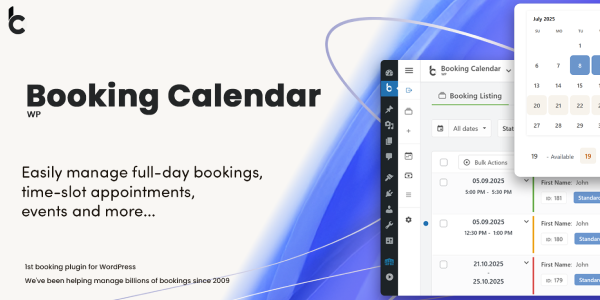
The WP Booking Calendar line represents the lighter end: a booking calendar bound to posts/pages with availability logic, without the employee/package/panel stack.
| Aspect | Amelia | WP Booking Calendar |
|---|---|---|
| Weight | Enterprise | Lightweight |
| Employees and resources | Full model | Basic |
| Packages | Yes | No |
| Panels | Customer + employee | Front-end admin |
| Notification channels | Email, SMS, WhatsApp | Email, SMS |
| Complexity cost | Higher setup | Faster setup |
The trade is setup time against ceiling: the lighter calendar wins for a single-consultant site, and everything beyond that ceiling is where Amelia earns its footprint.
Recommended Stack: Service businesses that take bookings rarely stop at appointments — they sell merchandise, gift cards, or event products on the same site. A discount rules engine for WooCommerce layers promotion pricing over the store side, while Amelia owns the appointment side; the two systems don’t collide because Amelia handles its own package pricing internally.
Official Changelog
The registry tracks one version line for this plugin; the changelog below covers the current release.
Version 9.8.2
Release Date: September 9, 2026
- Fixed bookings failing when all payment methods were disabled for an entity — the default payment method from General Settings now applies
- Fixed API bookings with on-site gateway incorrectly rejected when on-site payments were disabled for the entity
- Fixed waiting-list bookings failing when only online payment methods were enabled
- Fixed booking deletion triggered incorrectly when navigating back during the Mollie payment flow
- Resolved security vulnerabilities with additional security improvements
- Minor bug fixes and stability improvements
Frequently Asked Questions
Does Amelia support multiple employees with separate schedules?
Yes — that’s the core of its scheduling model. Each employee carries individual working hours, days off, buffers, and service assignments, and bookings respect that per-person availability rather than a single shared calendar.
Can I migrate my Amelia data to another site?
Yes, as of 9.7, which introduced full data export and import — all Amelia data moves between websites. Combined with the GPL version’s license freedom, that removes the typical lock-in concern around booking platforms.
Is the GPL version the full Pro plugin?
Yes. The GPL build is the complete plugin source under its original license with all Pro features — packages, events, panels, WhatsApp notifications — enabled. What’s absent is the vendor’s license key for automatic updates and their support desk.
Can I use it on multiple sites?
The GPL license permits installation on unlimited personal and client sites without per-domain activation. Agencies additionally get the 9.8 white-label feature to rebrand the plugin per client, including a SuperAdmin role and hidden Amelia-branded links.
Which payment gateways does it support?
Stripe (with Apple Pay and Google Pay fixes in 9.8), Mollie, Razorpay, and on-site/cash handling. The 9.8.2 patch specifically hardened the failure path when gateways are disabled per entity, falling back to the default payment method from General Settings.
How current is the release maintenance?
Actively current: the 2026 line shipped 9.6 through 9.8.2 between June and September, including two standalone security releases (9.6.2, 9.6.3) each flagged “update immediately.” Running 9.8.2 or newer is the safe position.


Leave a Reply